Free
Hourly weather and the full Light planner for today and tomorrow. Photo Spots up to 40 km from where you are.
1 drone profile · 2 favourite locations
For drone photographers · Made for iPhone
FlyWindow brings weather, light and photo spots into one iPhone app. Find daylight weather windows that fit your selected limits, time golden and blue hour, and scout subjects for your next shoot.
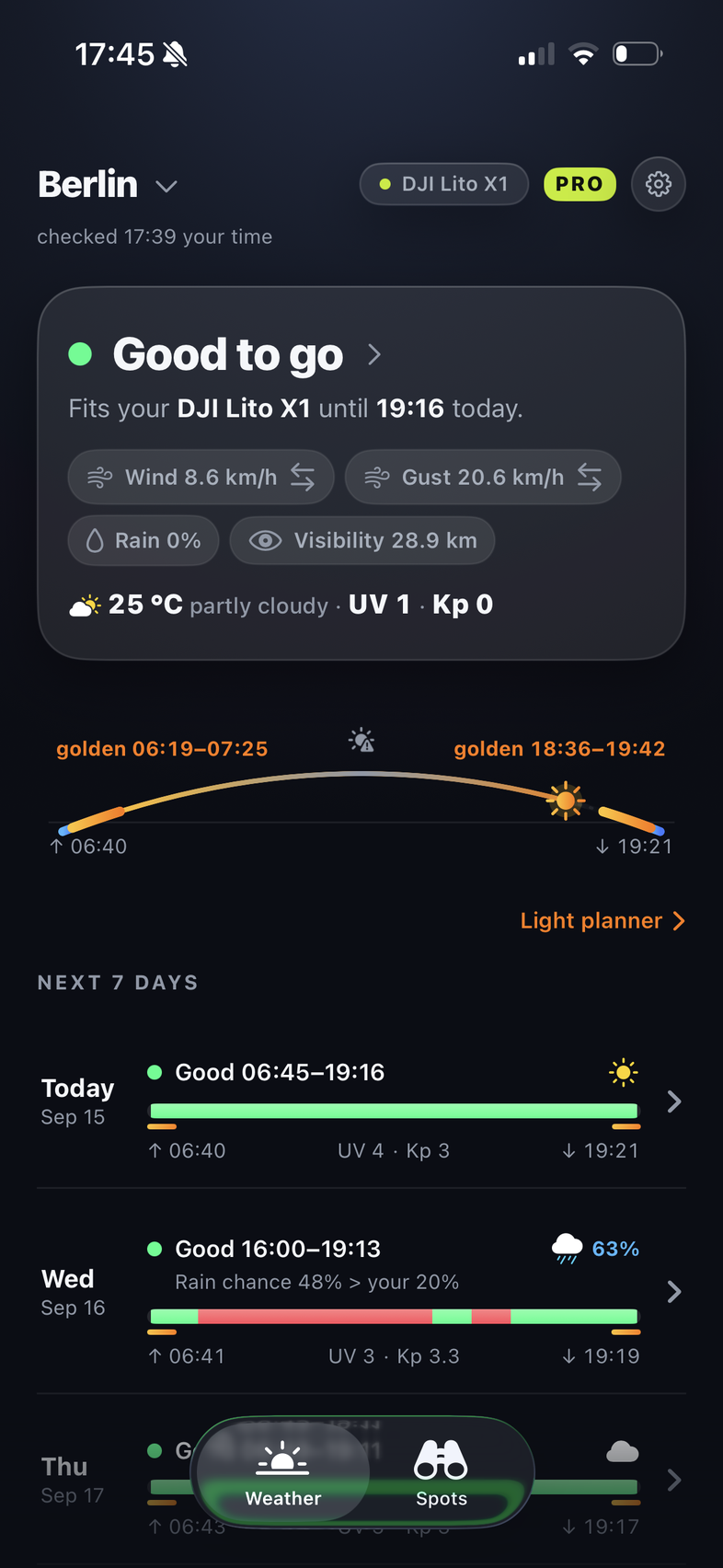
Daylight hours checked against your selected weather limits.
Explore weather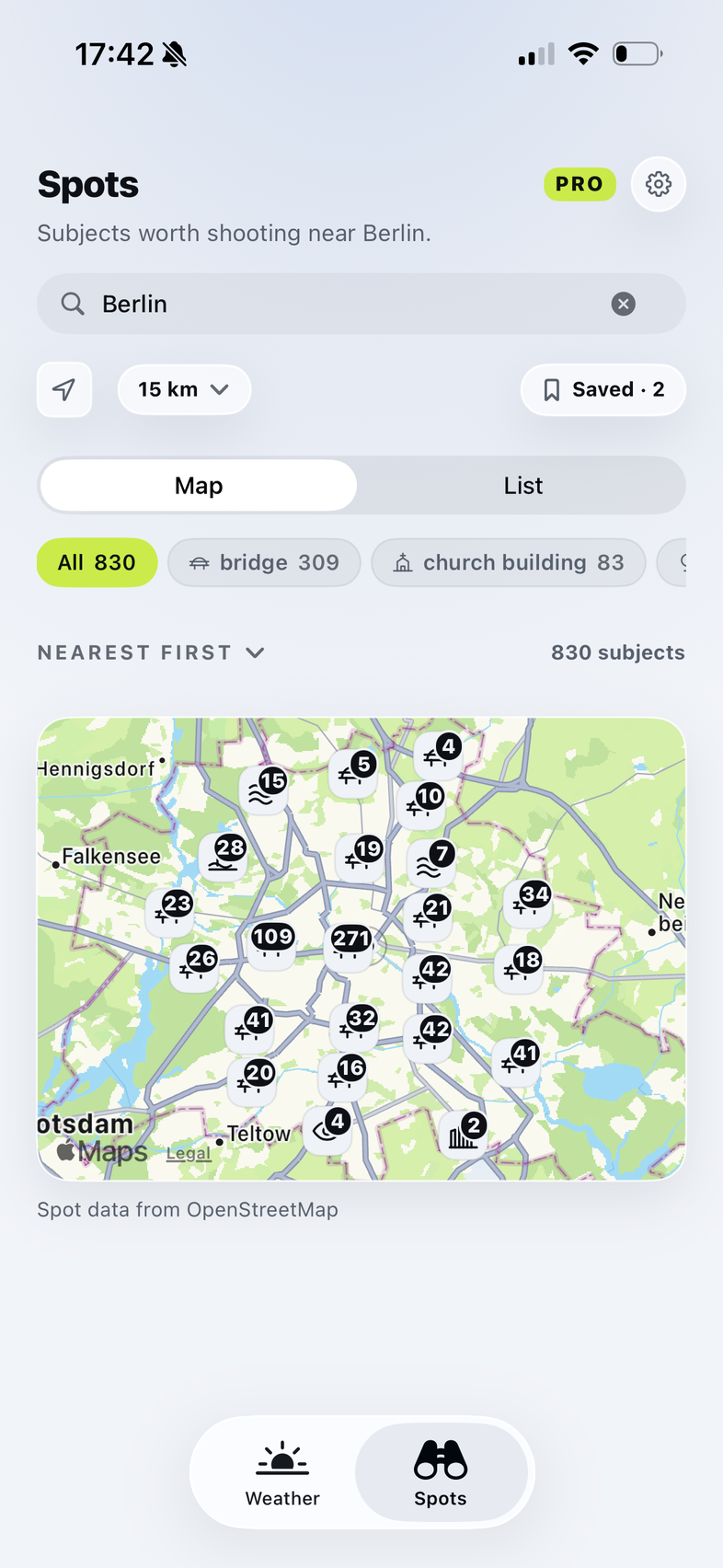
Explore photographic subjects nearby or around your next destination.
Explore photo spots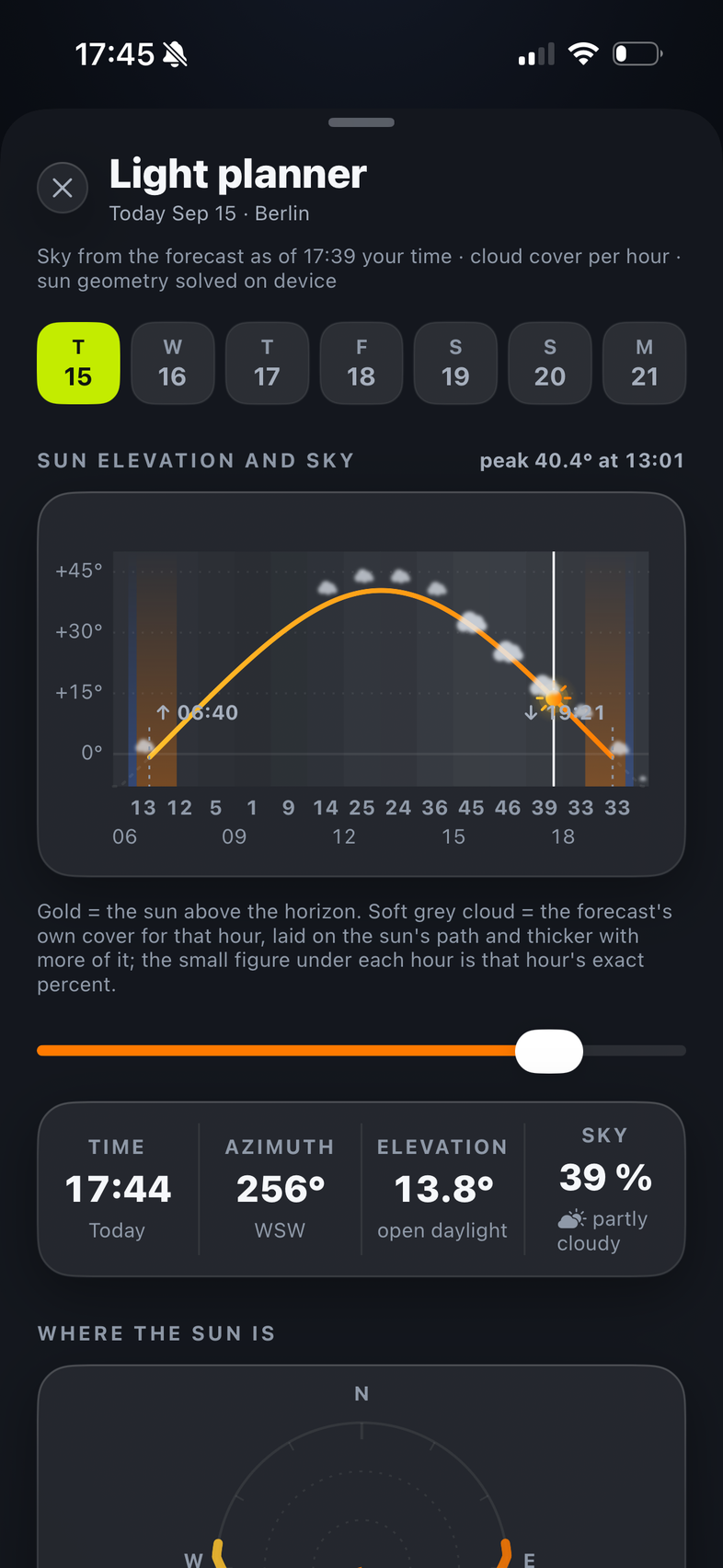
Plan golden and blue hour, with the sun’s direction for your shot.
Explore lightFlyWindow is a drone weather forecast app for iPhone, built for aerial photographers. It brings together daylight weather windows, the reasons behind them, photo Spots, and golden-hour planning.
01 Weather & exact reasons
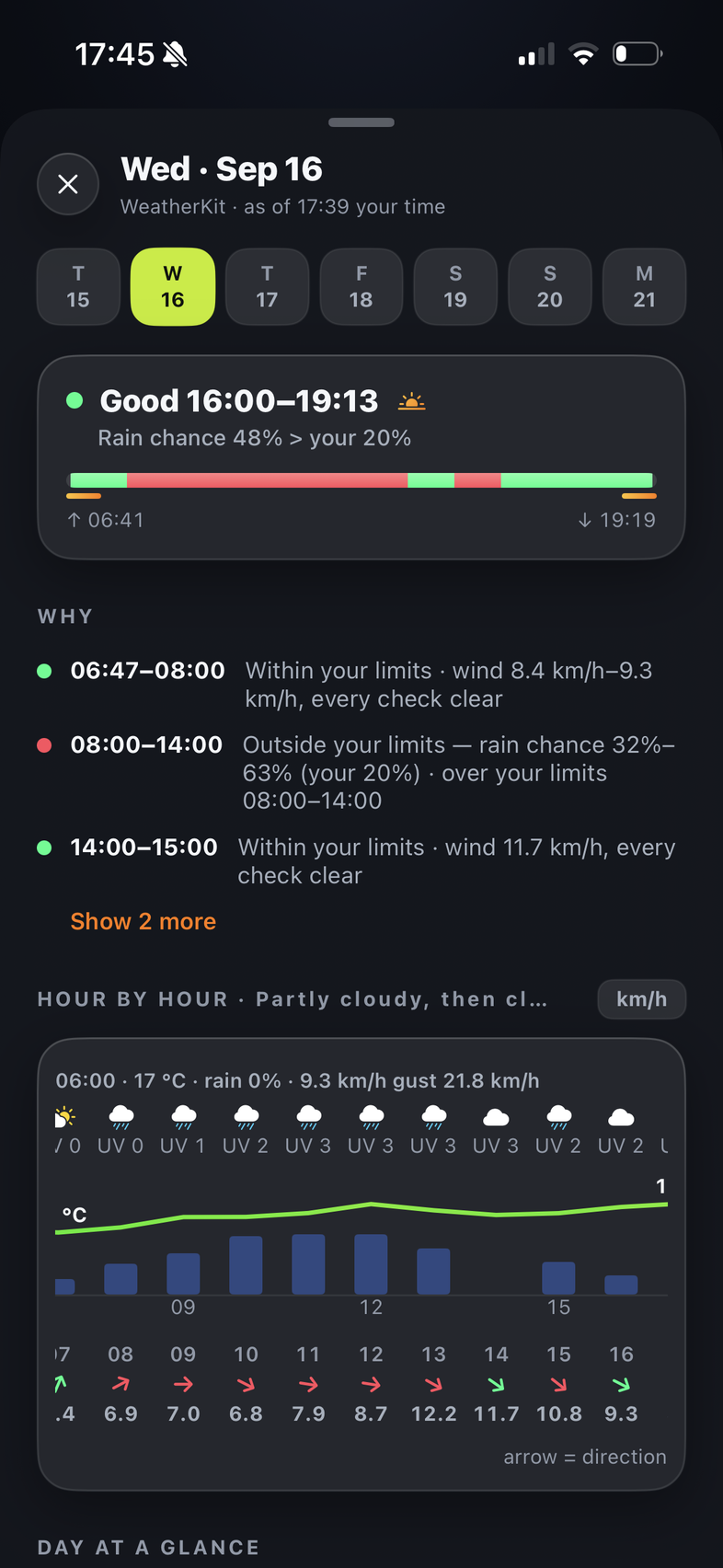
See when forecast conditions fit your selected limits, one daylight hour at a time. Free shows the main limiting factor with its actual value; Pro adds a full chronological breakdown of all reasons.
Pick a drone profile and adjust limits for wind, gusts, rain chance and visibility. Suggested settings are a starting point, not manufacturer ratings.
02 Photo Spots
Discover photographic subjects on a map or in a list. Browse viewpoints, coastlines, bridges and landmarks, then save the places you want to scout.
Explore up to 40 km from your current location in Free. Pro opens Spots search around any place worldwide for your next trip. Saved Spots are unlimited in both.
A Spot is a subject worth scouting, not permission to fly there. Check current local requirements before takeoff.
03 Golden & blue hour
Plan golden and blue hour for your chosen place and day. Move through the day to see the sun’s position, including its azimuth and elevation at the selected time.
Check the forecast, choose your subject, then use the Light planner to time your shot. Light timing follows the sun’s position; actual conditions depend on the weather.
Free & Pro
Every plan includes a seven-day overview with daylight windows and golden-hour markers.
Hourly weather and the full Light planner for today and tomorrow. Photo Spots up to 40 km from where you are.
1 drone profile · 2 favourite locations
Hourly detail and the full Light planner for all seven days, with a full breakdown of reasons. Scout around any place worldwide.
Up to 5 profiles · 10 favourites
Unlimited saved Spots in both plans.
| Feature | Free | Pro |
|---|---|---|
| 7-day overview | All 7 days | All 7 days |
| Day-row summary | Daylight window + status for each day | Daylight window + status for each day |
| Reasons | Main limiting factor with its actual value | Full chronological breakdown of all reasons |
| Hour-by-hour weather detail | Today + tomorrow | All 7 days |
| Charts, Why & hourly strip | Today + tomorrow | All 7 days |
| Golden-hour markers in the overview | All 7 days | All 7 days |
| Full Light planner | Today + tomorrow | All 7 days |
| Drone profiles | 1 | Up to 5 |
| Favourite locations | 2 | 10 |
| Photo Spots search | Current location, up to 40 km | Around any place worldwide |
| Saved photo Spots | Unlimited | Unlimited |
Download FlyWindow on the App Store. Subscription pricing is shown in the app.
FlyWindow blog · field guides
Practical guides to drone weather and aerial photography. Each one starts with a question you face before a shoot: how to read the forecast, choose a subject, or plan the light.
Find aviation authorities, official maps and notice services. Search the directory by country or resource name.
Browse directoryRead wind, gusts, rain chance and visibility against your selected limits, one daylight hour at a time.
Read guideFind subjects with photographic potential, then check access and current local requirements through the relevant official sources.
Read guideUnderstand wind and gusts, and why one threshold cannot describe every aircraft or flight.
Read guidePlan the timing and sun direction for your subject, then check how forecast conditions line up with the light.
Read guideRead all four planning guides in the FlyWindow blog, or browse the official-source directory.
A few useful answers
What FlyWindow does, what’s included, and where to check next.
FlyWindow shows when forecast weather fits your selected limits during daylight and identifies the main limiting factor with its actual value. Pro adds a full chronological breakdown of reasons. You can then plan the light and look for photo subjects worth scouting. Use the app’s official-source directory for current local requirements.
FlyWindow shows wind, gusts, rain chance, visibility, temperature and UV. Kp appears where the published feed provides the required coverage; it is not a seven-day forecast. Missing weather values remain marked as missing.
No. FlyWindow’s suggested profile limits are editable starting points. You choose the limits used for wind, gusts, rain chance and visibility. A catalogue model does not turn those suggestions into manufacturer ratings.
Both plans include a seven-day overview with daylight windows, a status for each day and golden-hour markers. Free shows the main limiting factor with its actual value, plus hourly weather detail, charts and the full Light planner for today and tomorrow. Pro adds a full chronological breakdown of reasons and extends detailed planning to all seven days. Weather windows are built from daylight hours, and unavailable forecast data is never filled in.
Photo Spots are subjects and locations worth scouting for photography, shown on a map and in a list. Free searches up to 40 km from your current location; Pro can search around any place worldwide. You can save unlimited Spots in either plan. A Spot is not permission to fly there.
Yes. FlyWindow’s Light planner shows golden and blue hour times, plus sun azimuth and elevation for a chosen moment. Timing is calculated for the selected place and date. The forecast helps you assess the weather for that light window.
FlyWindow provides a searchable directory of official aviation and drone-rule sources for supported countries. It opens the authority’s current guidance; FlyWindow does not interpret those rules or grant permission for a specific flight.
FlyWindow is available now for iPhone with iOS 18 or later, in English. Download FlyWindow on the App Store.
Where FlyWindow stops
FlyWindow checks weather against the limits you select. For local requirements, its searchable directory opens official aviation and drone-rule sources, organized by supported country. FlyWindow links to the authority; it does not interpret its rules or grant permission. Check the current source before takeoff.
Know when weather fits your selected limits. Find what to shoot. Plan the light—all in one iPhone app.
Download on the App Store